
Mounting and Installation
Product Dimensions
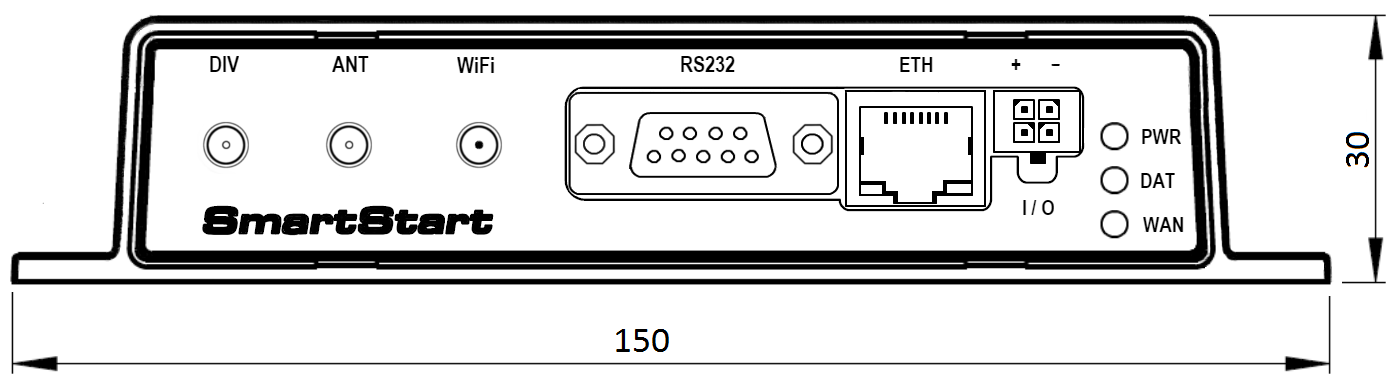
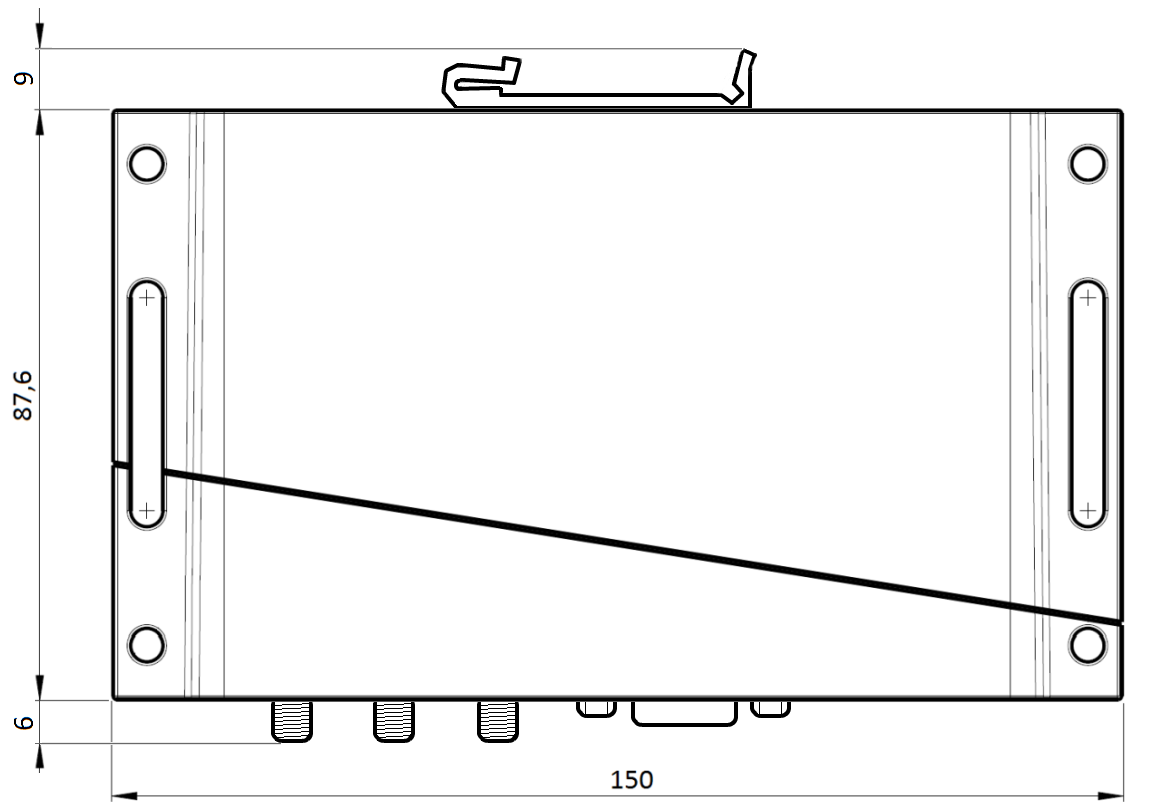
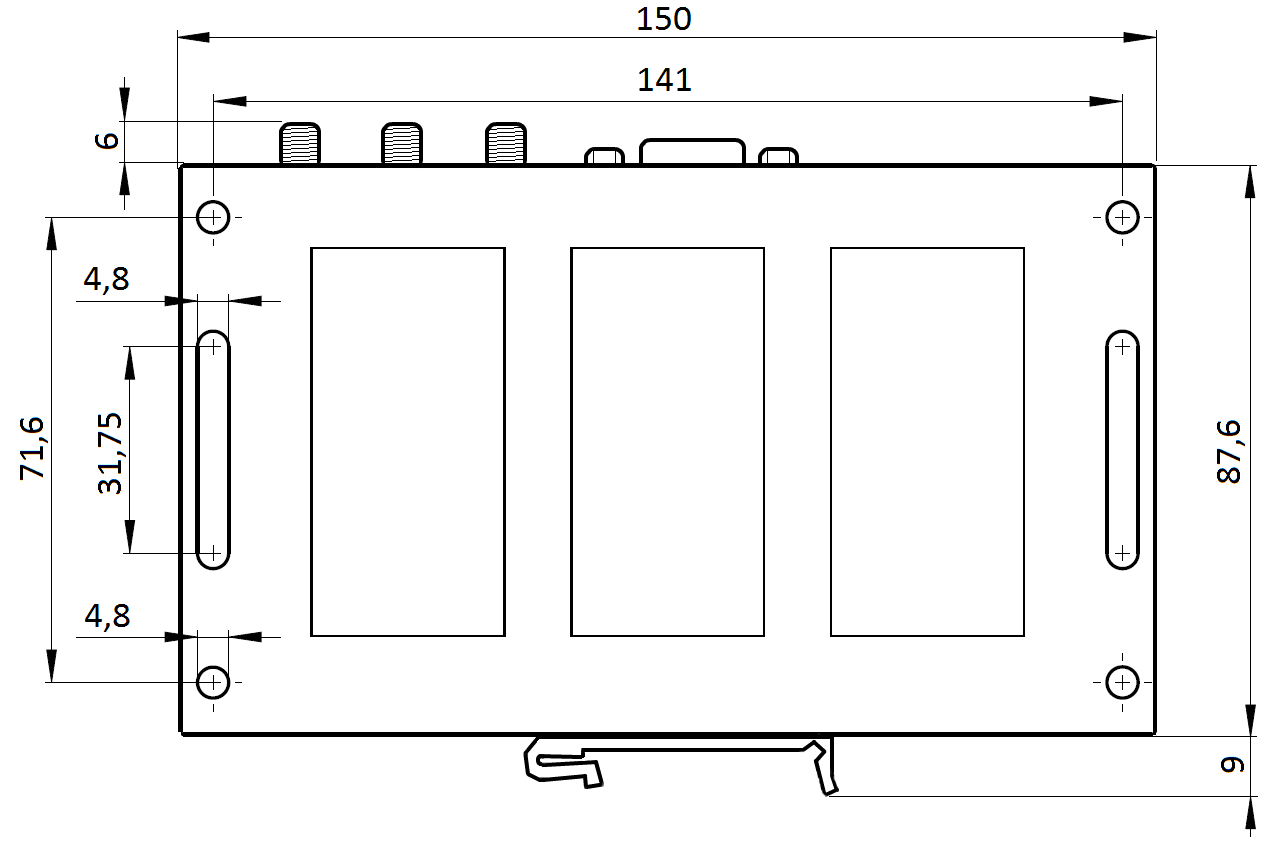
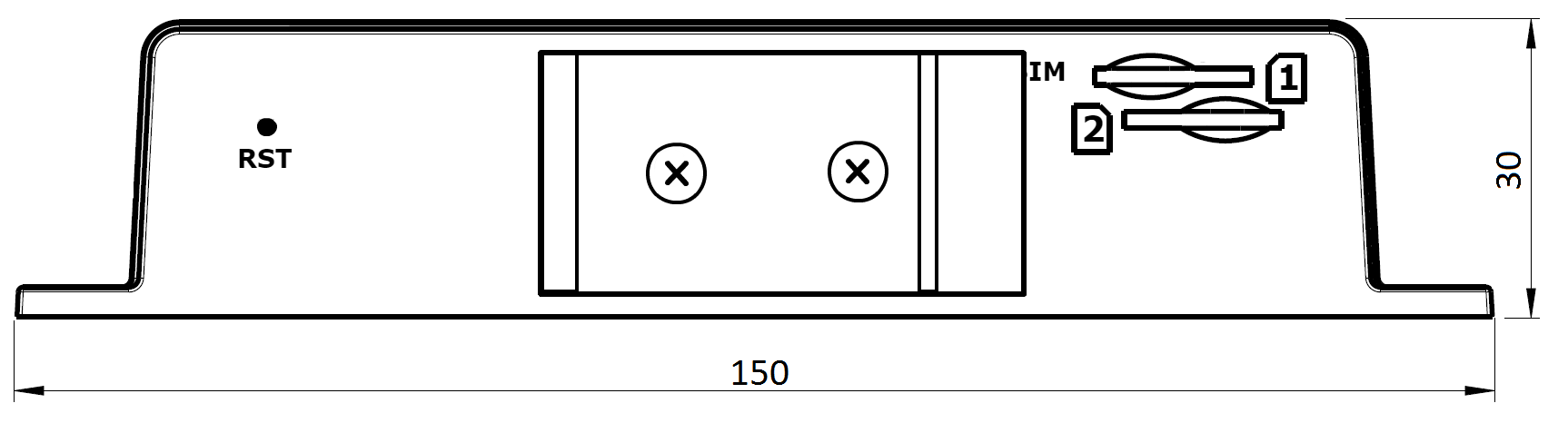
Refer to the diagrams below for detailed measurements (in millimeters).
Mounting Options
The router can be installed in the following ways:
- On a Flat Surface: Place the router on a stable, flat surface.
- On a Wall: Mount the router through the four holes in the chassis corners. Refer to the Wall Mounting section for detailed instructions.
- On a DIN Rail: Mount the router using the included DIN rail clip BB-SBD25 in compliance with EN 60715 standards. Refer to the DIN Rail Mounting section for additional details.
The router meets EN 61439-1:2011 requirements for low-voltage switchgear and control gear assemblies. For most applications involving a built-in router within a switchboard, consider the following environmental types:
- Non-public industrial environments: Low voltage with high interference.
- Public environments: Low voltage without high interference.
For both cases, mounting the router to a switchboard eliminates the need for additional immunity or EMC-related examinations under EN 61439-1:2011.
Guidelines for Mounting
In compliance with EN 61439-1:2011, observe the following assembly instructions when mounting the router inside a switchboard:
- When using whip antennas, maintain a minimum distance of 6 cm from cables and metal surfaces on all sides to minimize interference.
- Use a lightning conductor for external antennas mounted outside the switchboard.
- When mounting the router on sheet-steel, use a cable antenna.
- Bundle power supply and data cables, ensuring:
- The combined cable length does not exceed 1.5 m.
- Surge protectors are installed if data cables exceed 1.5 m or run toward the switchboard.
- Data cables are not bundled with mains voltage cables (230 V/50 Hz or 120 V/60 Hz).
- Leave sufficient space between connectors for easy cable handling.
- Use an earth-bonding distribution frame to properly ground the router's grounding screw.
Wall Mounting
Mount the router through the four holes in the chassis corners using M4 screws. Refer to the Product Dimensions section (bottom view) for precise hole spacing. Follow these steps:
- Position the router on the wall at the desired location.
- Use M4 screws compliant with DIN 912 or DIN 967 standards together with M4 washers.
- Tighten the screws to a torque of 1 Nm.
Tips
Ensure the wall surface is stable and suitable for installation.
Warning
Over-tightening screws may damage the chassis.
DIN Rail Mounting
The DIN rail clip BB-SBD25 allows the router to be securely mounted on DIN rails compliant with EN 60715 standards. The default mounting position is shown below.
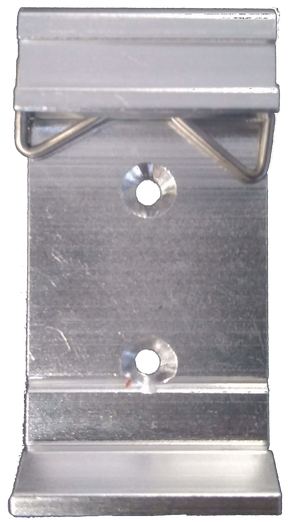
To mount the router:
- Place the DIN rail clip onto the rail.
- Ensure the clip is securely attached.
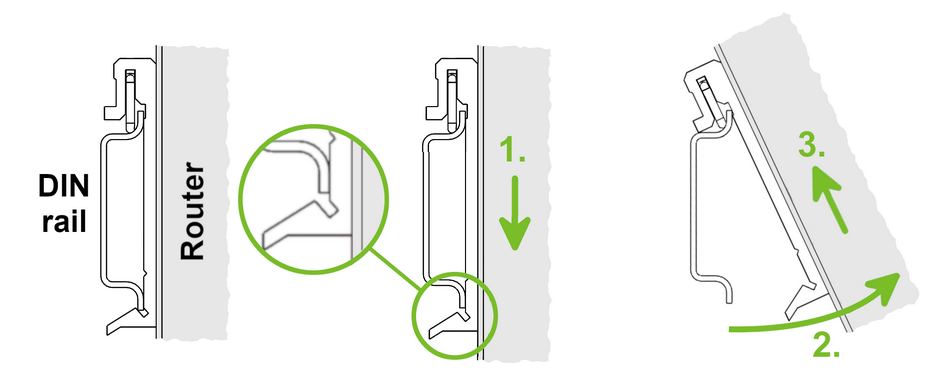
To remove the router:
- Push down lightly on the router until the bottom part of the DIN rail clip disengages from the rail.
- Tilt the bottom part of the router away from the rail to release it.
Warning
- Handle the router carefully to avoid damaging the DIN rail clip during removal.
- Tighten the DIN rail clip screws to a maximum torque of 0.4 Nm to prevent damage to the clip or mounting surface.