
Azure IoT SDK Python API
 Installation files
 Azure IoT
Azure IoT is Microsoft’s end-to-end IoT platform. Microsoft offers products, such as Azure IoT Hub, that connect your IoT devices to Microsoft Azure easily and securely.
SDK for Python
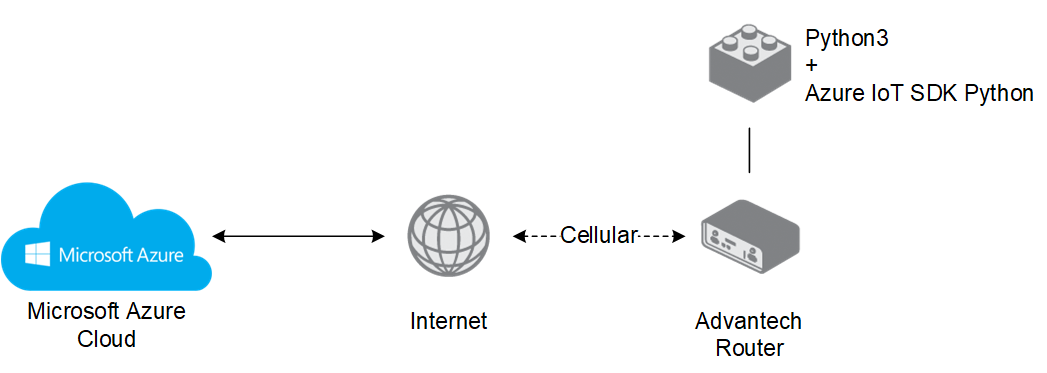
You can connect devices to Azure IoT using open-source device SDKs offered by Microsoft. These SDKs support multiple operating systems and programming languages, including Python. One of them — Azure IoT Hub Device SDK for Python — is implemented as a standalone Router App called Azure IoT SDK Python for Advantech routers.
Tips
The current Router App (Azure IoT SDK for Python, shown in its web interface as Azure IoT SDK Python API Version 2) is based on version 2 of Microsoft's Azure IoT SDK for Python, which is written entirely in Python. The earlier version 1 Router App, based on a C SDK with Python bindings, is no longer available and is not compatible with version 2.
For more information, including features of the device SDK, see:
https://github.com/Azure/azure-iot-sdk-python
Only the "device SDK" part of the Python SDK is implemented.The SDK for the deprecated version 1 is still available here:
https://github.com/Azure/azure-iot-sdk-python/tree/v1-deprecated
Caution
- This Router App has been tested on a router with firmware version 6.3.10. After updating the router firmware to a later version, check whether a newer version of the Router App is available and update it if necessary to maintain compatibility.
- The Azure IoT SDK Python Router App is not installed on Advantech routers by default. See your router's manual, section Customization Pages → Router Apps, for instructions on how to upload a Router App. This Router App requires a dependency to be installed on the router — follow the instructions in the Dependency Chapter.
Azure IoT SDK Python Dependency
Tips
The Python3 Router App must be installed alongside Azure IoT SDK Python. Python3 is required for Azure IoT SDK Python to work — it is a separate Router App and can also be used on its own for other purposes.

Available Python Modules
Installing Python3 and Azure IoT SDK Python provides a set of standard and common Python modules, including the following:
- os
- sys
- logging
- time
- datetime
- multiprocessing
- threading
- json
- uuid
- sqlite3
- textutils
- importlib
- shell
- zlib
- gzip
- subprocess
- tblib
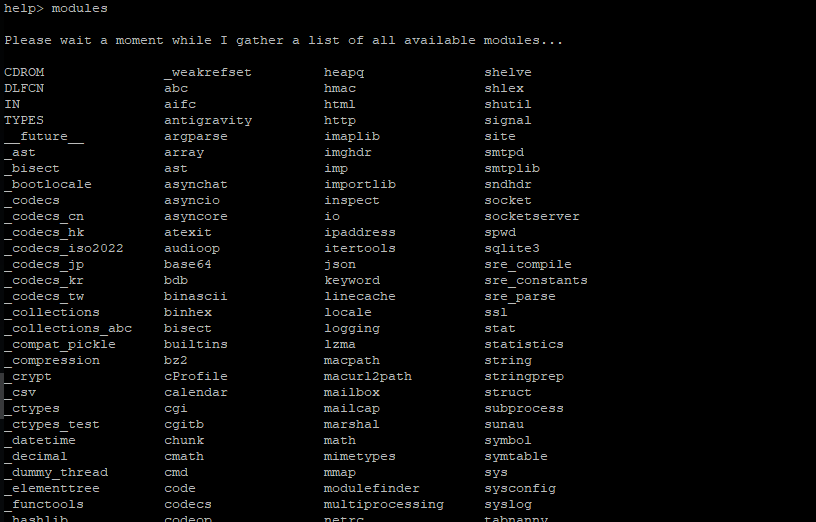
To list all available Python modules, type the following command in the router’s command-line interface (available via SSH):
python3The prompt switches to Python mode, indicated by >>>. Enter Python help mode by typing:
help()The prompt changes to help>. To display the full list of installed Python modules, type:
modulesSee the example output in the figure below:
Azure Installation
Tips
Detailed information and examples are available at: https://github.com/Azure/azure-iot-sdk-python
Install Python3 with PIP on the router.
Install Python requirements — Setuptools, azure-iot-device (via the router’s CLI):
pip3 install setuptools
pip3 install azure-iot-device
Create a link for the router’s certificate:
ln -s /etc/ssl/certs/ca-certificates.crt /usr/ssl/cert.pemThis link is permanent. Alternatively, add the following line to every Python script under
async def main():os.environ["SSL_CERT_FILE"] = "/etc/ssl/certs/ca-certificates.crt"
Example code inclusion Create an Azure IoT environment (Azure account, Azure IoT Hub, Device Provisioning Service).
Create a device in Azure IoT Hub and copy its Primary Connection String to the clipboard.
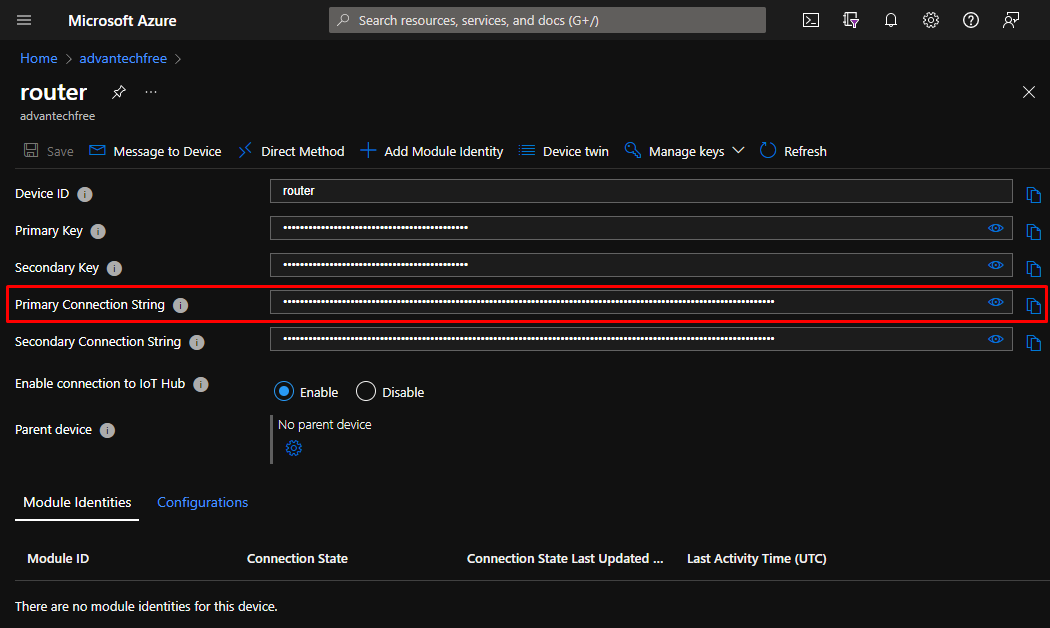
Primary connection string In the router CLI, set an environment variable with the device connection string:
export IOTHUB_DEVICE_CONNECTION_STRING="PASTE_THE_CONNECTION_STRING_HERE"
Exporting the connection string Start the Azure IoT Python script:

Starting the script View communication details in the Azure Shell:
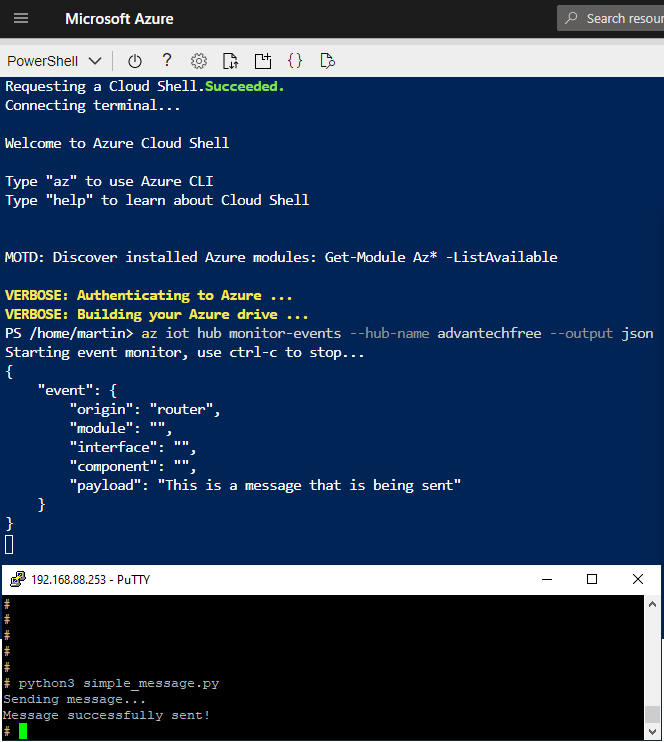
Communication in Azure shell