WebAccess/DMP Client 3.x.x
 Installation files
 Description
The WebAccess/DMP Client Router App provides a client that runs inside Advantech routers, enabling them to connect to WebAccess/DMP.

Web Interface
Once installation is complete, access the Router App by clicking its name on the Router Apps page of the router's web interface.
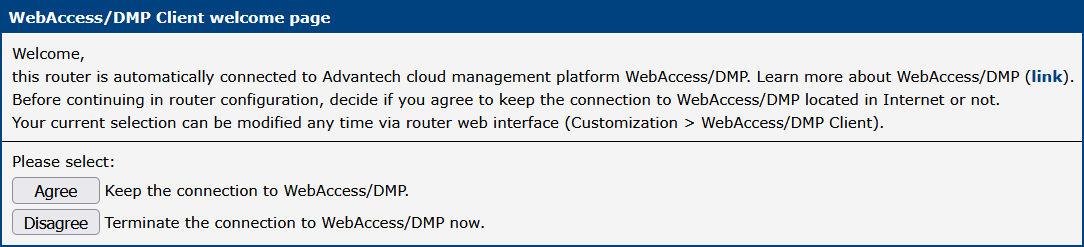
If the router is already connected to WebAccess/DMP, a welcome page is displayed prompting you to decide whether to keep the connection:
- Agree — Keep the connection to WebAccess/DMP.
- Disagree — Terminate the connection to WebAccess/DMP immediately.
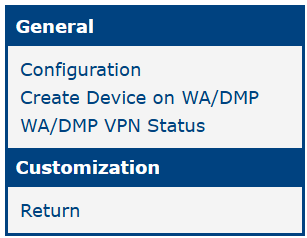
The left part of the interface contains a menu with a General section and a Customization section. The Customization section contains only the Return item, which switches back to the router's main web configuration pages.
General
Configuration
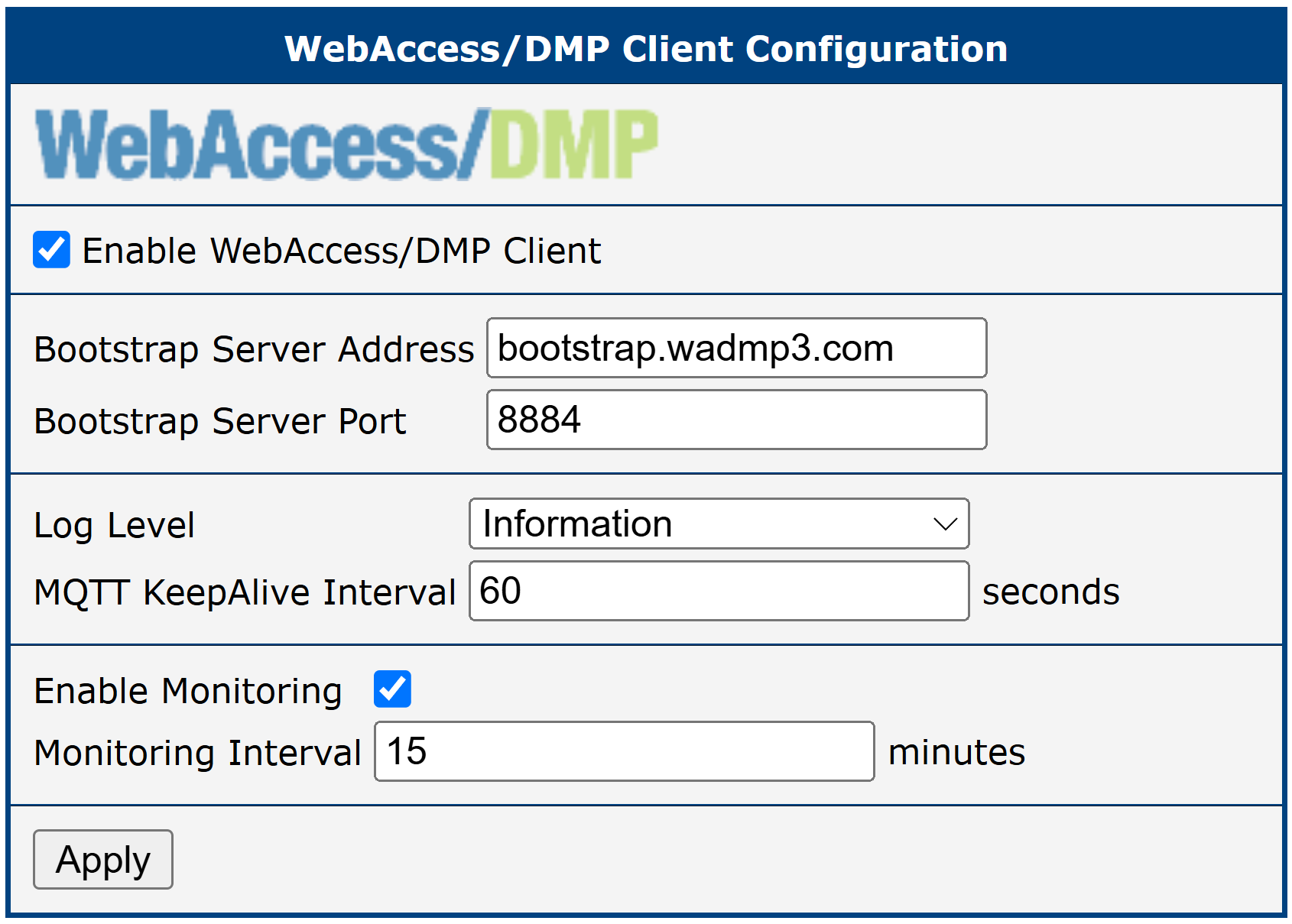
The Configuration page contains all settings for the WebAccess/DMP Client.
| Item | Description |
|---|---|
| Enable WebAccess/DMP Client | Enables the WebAccess/DMP Client. |
| Bootstrap Server Address | URL of the bootstrap server. |
| Bootstrap Server Port | Port on which the bootstrap service is listening. |
| Local Log Level | Detail level for the logging system. All router logs are saved locally in the syslog folder. Available levels (from least to most detailed): • Error — Error events that may still allow the application to continue running. (ERROR events) • Warning — Potentially harmful situations. (ERROR + WARN events) • Information — Informational messages highlighting application progress at a coarse-grained level. (ERROR + WARN + INFO events) • Debug — Fine-grained informational events most useful for debugging. (ERROR + WARN + INFO + DEBUG events) • Trace — Finer-grained informational events than Debug. (ERROR + WARN + INFO + DEBUG + TRACE events) |
| MQTT KeepAlive Interval | Heartbeat interval to prevent the client and server from closing the connection. |
| Enable Monitoring | Enables monitoring service messages. |
| Monitoring Interval | Sending period for monitoring messages. Specified in minutes; maximum is 20160 minutes (two weeks). |
WebAccess/DMP Client configuration items
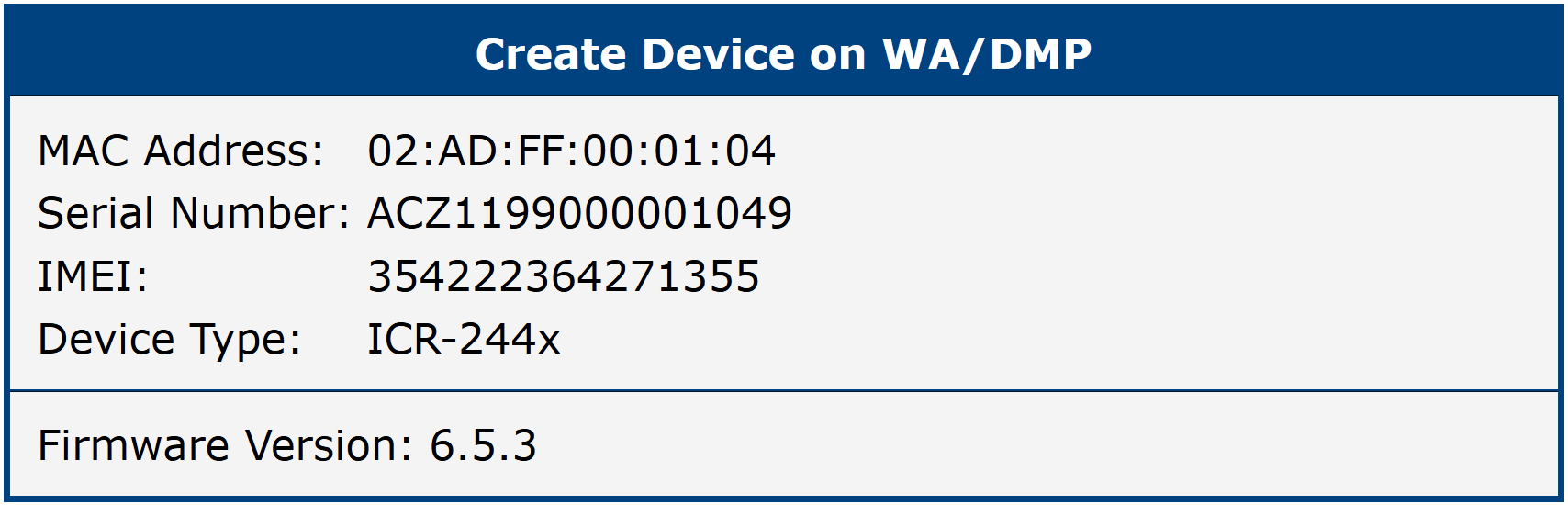
Create Device on WA/DMP
This section displays the router's credentials needed to add it to WebAccess/DMP.
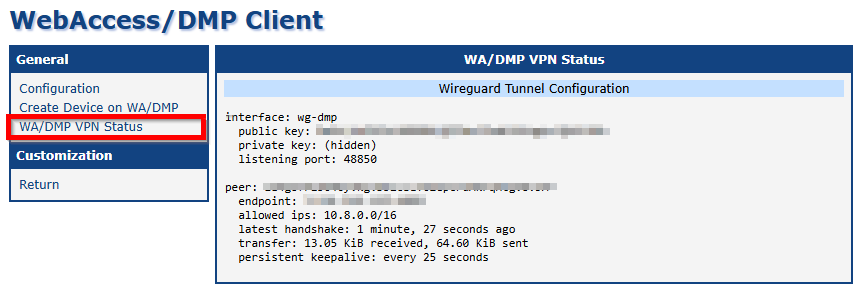
WA/DMP VPN Status
The VPN Status section provides information about the Virtual Private Network (VPN) connection.