
UDP Communication Watchdog
 Installation files
 Caution
- This Router App has been tested on a router with firmware version 6.3.10. After updating the router firmware to a higher version, check whether a newer version of the Router App has also been released and update it accordingly for compatibility.
Description
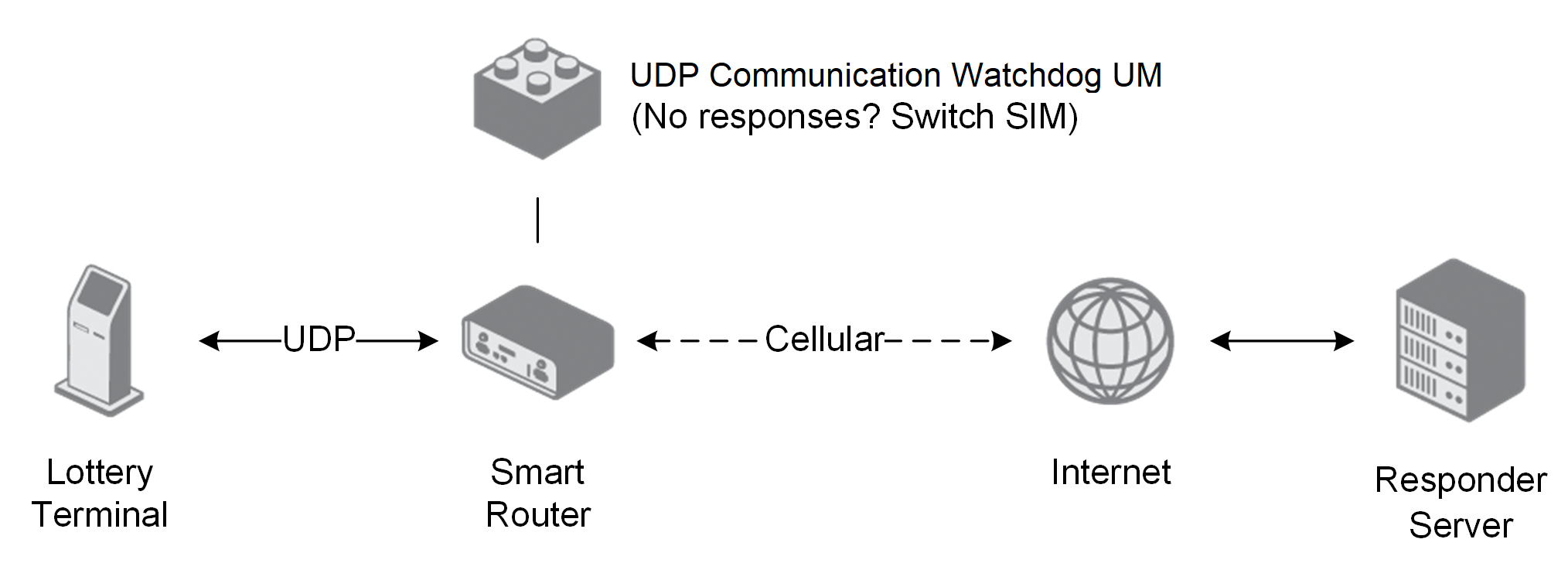
This Router App is a UDP communication watchdog — it monitors specific UDP packet responses on the router and, if no responses are received, switches the PPP (cellular) connection to the other SIM card. It is designed to provide reliable connectivity for lottery terminals that send UDP packets through the router to a responder server on the Internet. The operating principle is shown in the figure below.
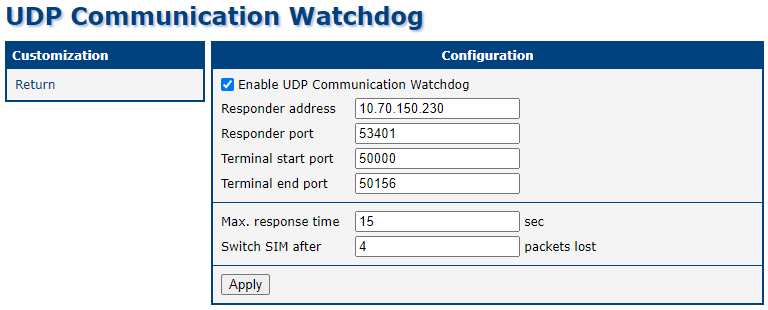
The Router App interface provides a single Configuration page and a Return item to go back to the router's web interface. When enabled with default settings, the Router App switches the cellular connection after four missed UDP responses. Errors and SIM switch events are logged on the System Log page of the router's main web interface.
Configuration
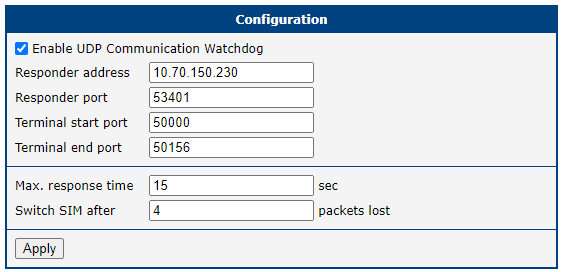
Navigate to the Configuration page in the Communication Watchdog section of the Router App — this is also the landing page. To enable the Router App, check Enable UDP Communication Watchdog and click Apply. The table below describes the remaining configuration items.
| Item | Description |
|---|---|
| Enable UDP Communication Watchdog | Enables the UDP Communication Watchdog. Required for UDP packet monitoring and automatic SIM switching on failure. |
| Responder address | IP address of the responder server on the Internet. Accepts an IPv4 address, an IPv6 address, or a domain name. Default: 10.70.150.230. |
| Responder port | Port of the responder server. Default: 53401. |
| Terminal start port | First UDP port of the lottery terminal connected to the router. Multiple terminals may share a port pool. Default: 50000. |
| Terminal end port | Last UDP port of the lottery terminal connected to the router. Default: 50156. |
| Max. response time | Time to wait for a response before counting the packet as lost, in seconds. Default: 15. |
| Switch SIM after X packets lost | Number of lost packets before switching to the other cellular connection. Default: 4. |
UDP Communication Watchdog configuration items
Behavior and System Log
Supervised UDP Traffic
Only specific UDP packets are monitored — those sent from a local device (lottery terminal) to the Internet responder, and the corresponding responses. Only UDP packets from the configured port range are tracked.
Packets are matched by destination IP when traveling from the local device to the responder, and by source IP and port number when returning from the responder to the local device. Only the source and destination of UDP traffic are monitored; the payload is not inspected.
Switching SIM Cards
If packets are being sent from the local device but no responses are received, the Router App switches the cellular connection to the other SIM card.
To switch, the Router App powers off the cellular module, sets the other SIM card as the default, and powers on the cellular module to establish a new connection. No additional SIM switching configuration is required on the router. However, the router must have two SIM cards, and both must be properly configured on the Mobile WAN page in the Configuration section of the router's web interface (typically for two different carriers with the same APN).
System Log
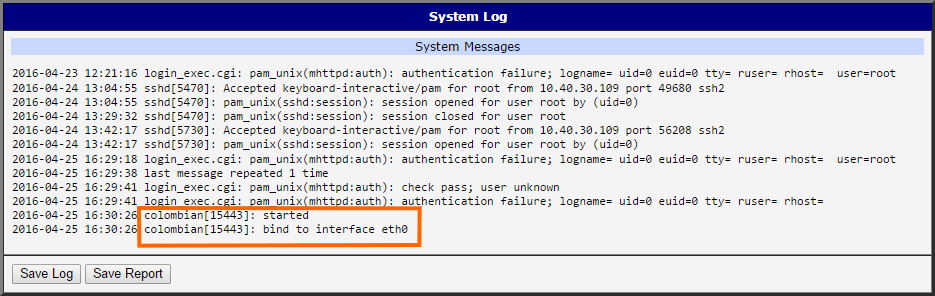
The Router App logs are accessible on the System Log page of the router's main web interface. UDP Communication Watchdog log entries begin with the colombian prefix. When a SIM switch occurs, the following message is logged:
missing <number> responses from responder → changing SIM <number of SIM>
Messages about restarting the cellular module and establishing the new cellular connection follow.