
Ethernet Mirroring
 Installation files
 The Ethernet Mirroring Router App mirrors network traffic from one Ethernet interface to another.
Caution
- This Router App requires firmware version 6.1.8 or higher.
- This Router App has been tested on a router with firmware version 6.3.10. After updating the router firmware to a higher version, check whether a newer version of the Router App has also been released and update it accordingly for compatibility.
Web Interface
Once the installation is complete, access the Router App's web interface by clicking the Router App name on the Router Apps page of the router's web interface. The left pane contains a menu with three sections: Status (containing Overview and System Log), Configuration (containing Global), and Customization (containing Return, which returns to the router's web interface).
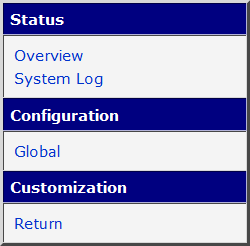
Module Configuration
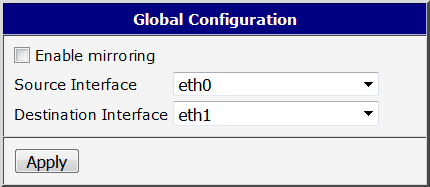
Configure the Router App on the Global page under the Configuration menu section.
| Item | Description |
|---|---|
| Enable mirroring | If enabled, activates the Router App. Requires firmware version 6.1.8 or higher. |
| Source Interface | Select a source Ethernet interface. |
| Destination Interface | Select a destination Ethernet interface. This interface cannot be used for other purposes and no IP address can be assigned to it. If an IP address is assigned, an error occurs when saving the configuration. |
| Apply | Click to apply changes to the configuration. |
Configuration items description
Status Pages
The Status menu section contains two pages. The Overview page displays the current Router App state, indicating whether the Router App is running. The System Log page displays the full router system log — not just messages from this Router App. If any issues occur, use this log for debugging.