
NAT
 Installation files
 Caution
- This Router App has been tested on a router with firmware version 6.4.0. After updating the router firmware to a higher version, check whether a newer version of the Router App has also been released and update it accordingly for compatibility.
Description
The NAT Router App allows the router to translate addresses from one IP address space into another by modifying network address information in the IP header of packets.
Web Interface
Once the installation is complete, the Router App's web interface is accessible by clicking the Router App name on the Router Apps page of the router's web interface.
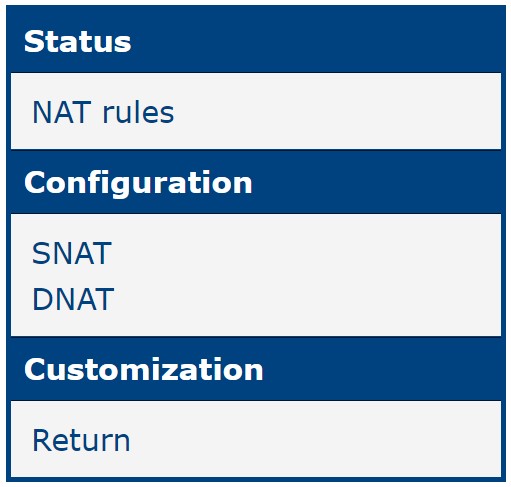
The left panel of the web interface contains a menu with a Status section and a Configuration section. The Customization section contains only the Return item, which switches back to the router's web configuration pages. The menu is shown in the figure below.
Status
NAT Rules
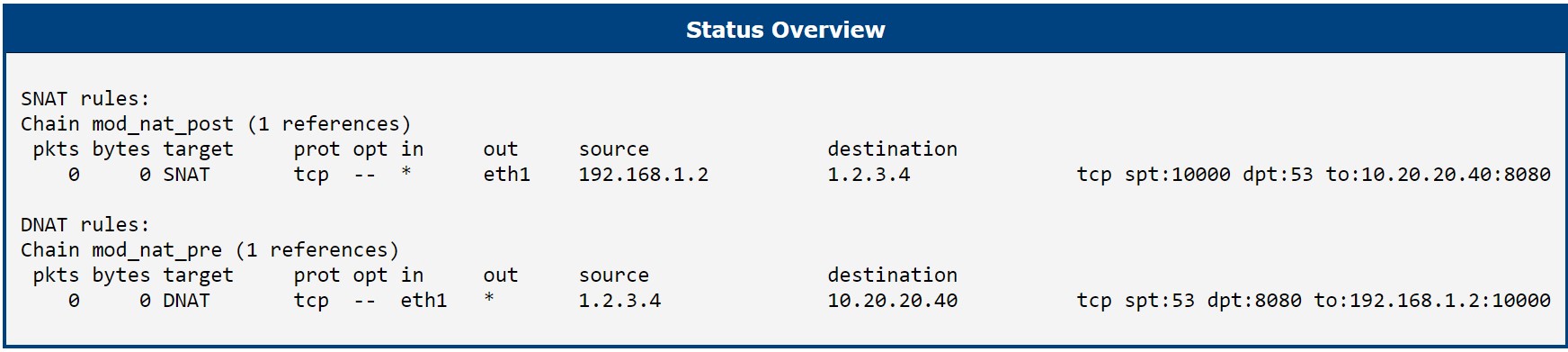
To view an overview of the current status, click the NAT rules item in the main menu. The page lists the configured SNAT and DNAT rules and shows whether each service is active.
Configuration
SNAT
Source Network Address Translation (SNAT) changes the private IP address of the source host to a public IP address and may also modify the source port in the TCP/UDP headers. It is typically used by internal users to access the Internet and is performed after the routing decision is made. SNAT alters the source address of packets passing through the router when an internal (private) host initiates a session with an external (public) host.
Configure SNAT on the SNAT page in the Configuration menu. SNAT configuration supports up to 64 rules.

| Item | Description |
|---|---|
| Enable SNAT | Enables the SNAT feature of this Router App. |
| Interface | Router interface for this rule. |
| Protocol | Protocol for this rule: all, TCP, UDP, or TCP+UDP. |
| Source | Source IP address. |
| Source Port | Source port. |
| Destination | Destination IP address. |
| Destination Port | Destination port. |
| To Source | Translated source IP address. |
| To Port | Translated source port. |
| Description | Description of this rule. |
SNAT configuration items

DNAT
Destination Network Address Translation (DNAT) changes the destination address in the IP header of a packet and may also modify the destination port in the TCP/UDP headers. It is used to redirect incoming packets addressed to a public address/port to a private IP address/port within the network and is performed before the routing decision is made. Unlike SNAT, DNAT adjusts the destination address of packets passing through the router, allowing an external (public) host to initiate a session with an internal (private) host. The source address of return packets is automatically translated back.
Configure DNAT on the DNAT page in the Configuration menu. DNAT configuration supports up to 64 rules.

| Item | Description |
|---|---|
| Enable DNAT | Enables the DNAT feature of this Router App. |
| Interface | Router interface for this rule. |
| Protocol | Protocol for this rule: all, TCP, UDP, or TCP+UDP. |
| Source | Source IP address. |
| Source Port | Source port. |
| Destination | Destination IP address. |
| Destination Port | Destination port. |
| To Destination | Translated destination IP address. |
| To Port | Translated destination port. |
| Description | Description of this rule. |
DNAT configuration items
