Guest Status
 Installation files
 Caution
- This Router App has been tested on a router with firmware version 6.3.10. After updating the router firmware to a higher version, check whether a newer version of the Router App has also been released and update it accordingly for compatibility.
This Router App restricts access to the configuration pages of the router's web interface and allows access only to the monitoring pages.
Status
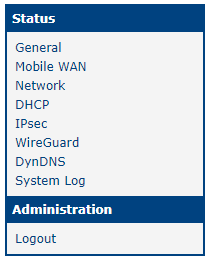
The list of menu items varies depending on the router configuration. The Status menu section can contain the following items:
- General
- Mobile WAN
- Network
- DHCP
- IPsec
- WireGuard
- DynDNS
- System log
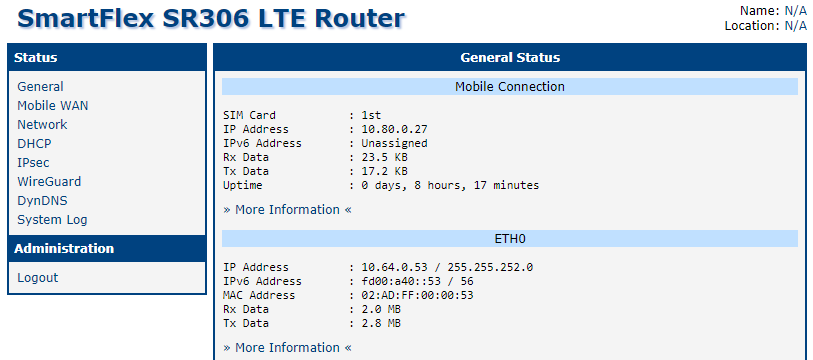
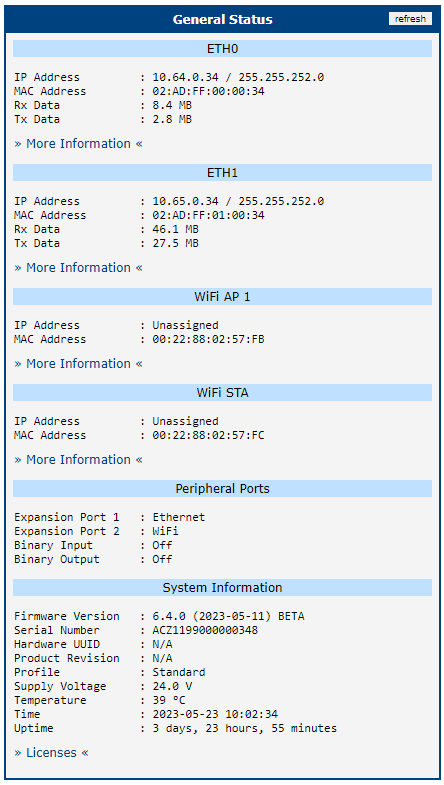
General
This section offers a quick view of general information about the router.
Mobile WAN Status
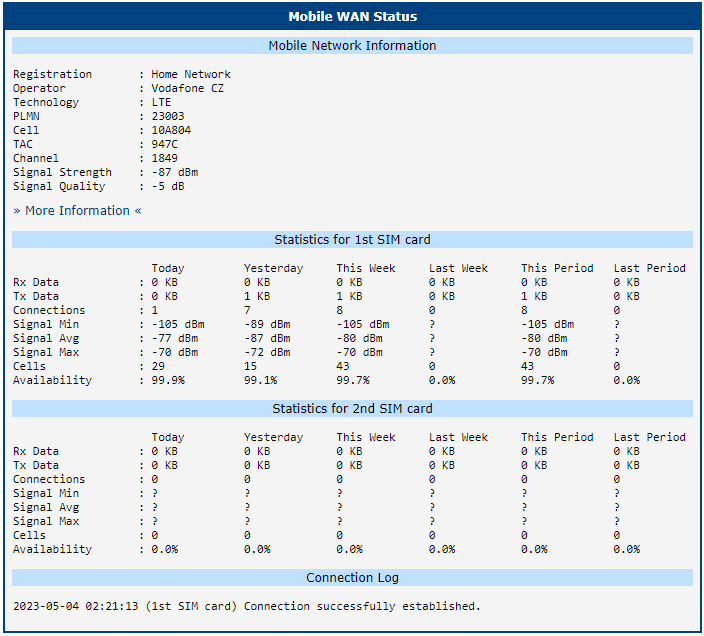
The Mobile WAN menu item contains current information about connections to the mobile network. The first part of this page (Mobile Network Information) displays basic information about the mobile network the router operates in. The page also shows information about the module installed in the router.
| Item | Description |
|---|---|
| Registration | State of the network registration. |
| Operator | Specifies the operator's network the router operates in. |
| Technology | Transmission technology. |
| PLMN | Code of operator |
| Cell | Cell the router is connected to. |
| LAC | Location Area Code — unique number assigned to each location area. |
| Channel | Channel the router communicates on. • ARFCN in case of GPRS/EDGE technology • UARFCN in case of UMTS/HSPA technology • EARFCN in case of LTE technology |
| Signal Strength | Signal strength of the selected cell; for details see the signal strength table below. |
| Signal Quality | Signal quality of the selected cell: • EC/IO for UMTS and CDMA (the ratio of the signal received from the pilot channel — EC — to the overall level of the spectral density, i.e. the sum of the signals of other cells — IO) • RSRQ for LTE technology (defined as the ratio N × RSRP / RSSI) • The value is not available for the EDGE technology |
| CSQ | Cell Signal Quality; relative value is given by RSSI (dBm). 2–9 range means Marginal, 10–14 range means OK, 15–19 range means Good, 20–30 range means Excellent. |
| Neighbours | Signal strength of neighboring cells within range (GPRS only). |
| Manufacturer | Module manufacturer |
| Model | Type of module |
| Revision | Revision of module |
| IMEI | IMEI (International Mobile Equipment Identity) number of module |
| ESN | ESN (Electronic Serial Number) number of module (for CDMA routers) |
| MEID | MEID number of module |
| ICCID | Integrated Circuit Card Identifier — international and unique serial number of the SIM card. |
Mobile network information
Tips
If a neighboring cell for GPRS is highlighted in red, the router may repeatedly switch between the neighboring and the primary cell, affecting the router's performance. To prevent this, re-orient the antenna or use a directional antenna.
The value of signal strength is displayed in different colors: black for good, orange for fair, and red for poor signal strength.
| Signal strength | GPRS/EDGE/CDMA (RSSI) | UMTS/HSPA (RSCP) | LTE (RSRP) |
|---|---|---|---|
| good | > -70 dBm | > -75 dBm | > -90 dBm |
| fair | -70 dBm to -89 dBm | -75 dBm to -94 dBm | -90 dBm to -109 dBm |
| poor | < -89 dBm | < -94 dBm | < -109 dBm |
Value ranges of signal strength for different technologies
The middle part of this page displays information about mobile signal quality, transferred data, and number of connections for all SIM cards (for each period). The router has standard intervals (Today, Yesterday, This week, and Last week) and also a period starting with Accounting Start defined for the MWAN module.
| Period | Description |
|---|---|
| Today | Today from 0:00 to 23:59 |
| Yesterday | Yesterday from 0:00 to 23:59 |
| This week | This week from Monday 0:00 to Sunday 23:59 |
| Last week | Last week from Monday 0:00 to Sunday 23:59 |
| This period | This accounting period |
| Last period | Last accounting period |
Description of periods
| Item | Description |
|---|---|
| RX data | Total volume of received data |
| TX data | Total volume of sent data |
| Connections | Number of established connections to the mobile network |
| Signal Min | Minimum signal strength |
| Signal Avg | Average signal strength |
| Signal Max | Maximum signal strength |
| Cells | Number of switches between cells |
| Availability | Availability of the router via the mobile network (expressed as a percentage) |
Mobile network statistics
Tips
Tips for the Mobile Network Statistics table:
- Availability is expressed as a percentage. It is the ratio of time the connection to the mobile network has been established to the time the router has been turned on.
- Hover over the maximum or minimum signal strength to display the last time the router reached that signal strength.
The last part (Connection Log) displays information about the mobile network connections and any problems that occurred while establishing them.
Network
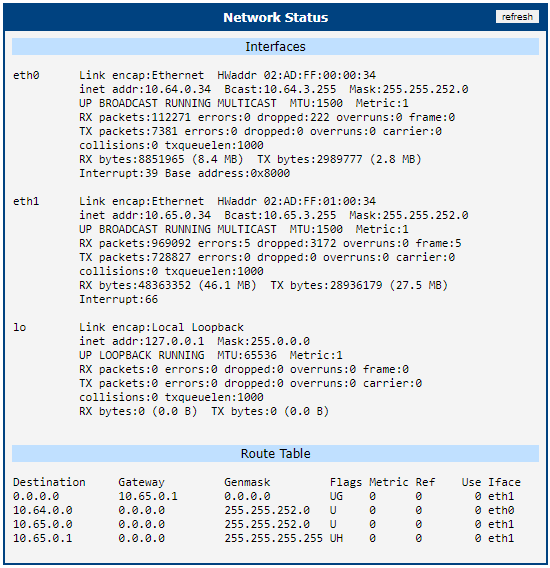
To view system information about the router operation, select the Network item in the main menu. The upper part of the window displays detailed information about active interfaces:
| Interface | Description |
|---|---|
| eth0, eth1 | Network interfaces (Ethernet connection) |
| ppp0 | Interface (active connection to GPRS/EDGE) |
| tun0 | OpenVPN tunnel interface — if configured |
| ipsec0 | IPsec tunnel interface — if configured |
| gre1 | GRE tunnel interface — if configured |
| usb0 | USB interface |
Description of interfaces in network status
The following information is shown for each interface:
| Item | Description |
|---|---|
| HWaddr | Hardware (unique) address of network interface |
| inet | IP address of interface |
| P-t-P | IP address of the second end of connection |
| Bcast | Broadcast address |
| Mask | Network mask |
| MTU | Maximum packet size that the equipment can transmit |
| Metric | Number of routers over which the packet must pass |
| RX | • packets — received packets • errors — number of errors • dropped — dropped packets • overruns — incoming packets lost because of overload • frame — wrong incoming packets because of incorrect packet size |
| TX | • packets — transmitted packets • errors — number of errors • dropped — dropped packets • overruns — outgoing packets lost because of overload • carrier — wrong outgoing packets with errors resulting from the physical layer |
| collisions | Number of collisions on physical layer |
| txqueuelen | Length of the network device transmit queue |
| RX bytes | Total number of received bytes |
| TX bytes | Total number of transmitted bytes |
Description of information in network status
You can read the connection status of the mobile network from the network information. If the connection to the mobile network is active, it is shown in the system information as a ppp0 interface.
DHCP
The DHCP Status menu section contains information about active DHCP leases.

IPsec
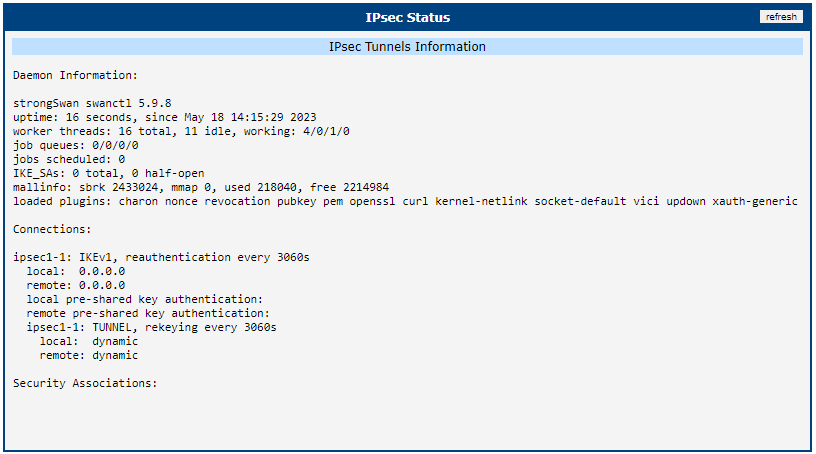
The IPsec Status menu section contains information about currently used IPsec tunnels.
WireGuard
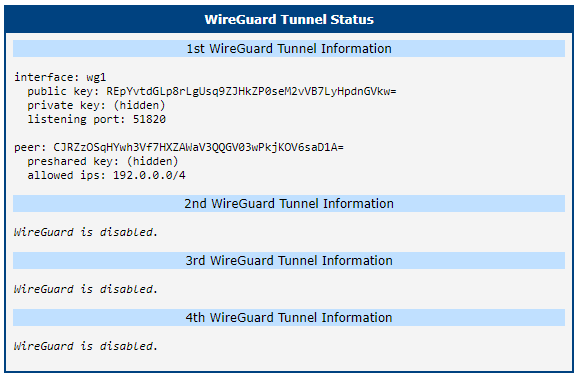
The WireGuard status section contains information about active WireGuard tunnels.
DynDNS
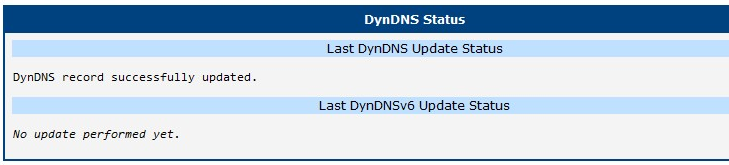
The DynDNS status section contains brief information about the DynDNS service.
System Log
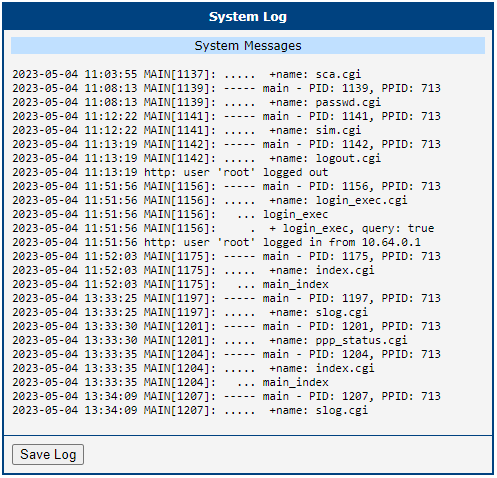
If there are problems with the GPRS connection, view the system log by selecting the System Log menu item. The window displays detailed reports from individual applications running in the router. Use the Save Log button to save the system log to a connected computer.
The default system log size is 1000 lines. When the log reaches 1000 lines, a new file is created for storing the system log. After the second file reaches 1000 lines, the first file is deleted and a new one is created.