Serial over LAN
 Installation files
 Caution
- This Router App has been tested on a router with firmware version 6.3.10. After updating the router firmware to a higher version, check whether a newer version of the Router App has also been released and update it accordingly for compatibility.
Serial over LAN
Description
This Router App extends the basic serial interface configuration available in the router's web interface (Configuration → Expansion Port). The main benefit is support for the Telnet protocol with the RFC 2217 specification.
RS-232, RS-485/422, or MBUSD serial interfaces — built-in or available as expansion ports — can be used for this purpose. The router's USB port with a USB-to-serial converter (FTDI) is also supported.
Compatible client applications include Serial to Ethernet Connector from Electronic Team and HW VSP from HW Group, among others.
Web Interface
Once installation is complete, the Router App's web interface is accessible by clicking the Router App name on the Router Apps page of the router's web interface.

The left menu contains a Status section, a Configuration section (with Port 1, Port 2, and Port USB pages), and an Administration section with only Return, which switches back to the router's main web interface.
Configuration
Three configuration forms are available under the Configuration section: Port 1, Port 2, and Port USB. The first two configure serial communication parameters for devices connected to the router's serial ports 1 and 2, respectively. Port USB configures a device connected to the USB port with a USB-to-serial converter. All three forms have the same layout.
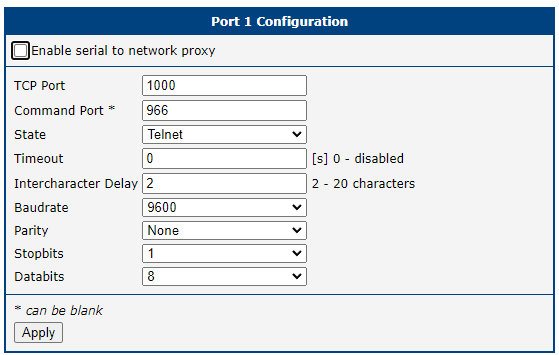
| Item | Description |
|---|---|
| Enable serial to network proxy | Enables the serial-to-network proxy for this port. |
| TCP Port | TCP port for the connection. Must be unique for every serial interface. |
| Command Port | A dedicated port for command communication. Supported only when State is set to Telnet. The client software must also support this feature. |
| State | Choose raw or Telnet as the communication protocol. The raw protocol does not support RFC 2217. |
| Timeout | Time in seconds before the port is disconnected due to inactivity. A value of zero disables this function. |
| Intercharacter Delay | If the gap between received characters in serial communication equals this value, the data is sent immediately without waiting for the internal buffer to fill. Range: 2 to 20 characters. |
| Baudrate | Baudrate for serial communication. Available values: 300, 1200, 2400, 4800, 9600, 19200, 38400, 57600, and 115200 bps. |
| Parity | Parity for serial communication: none, even, or odd. |
| Stopbits | Number of stop bits: 1 or 2. |
| Databits | Number of data bits: 7 or 8. |
| Apply | Saves and applies all changes in the configuration form. |
Configuration items
Status
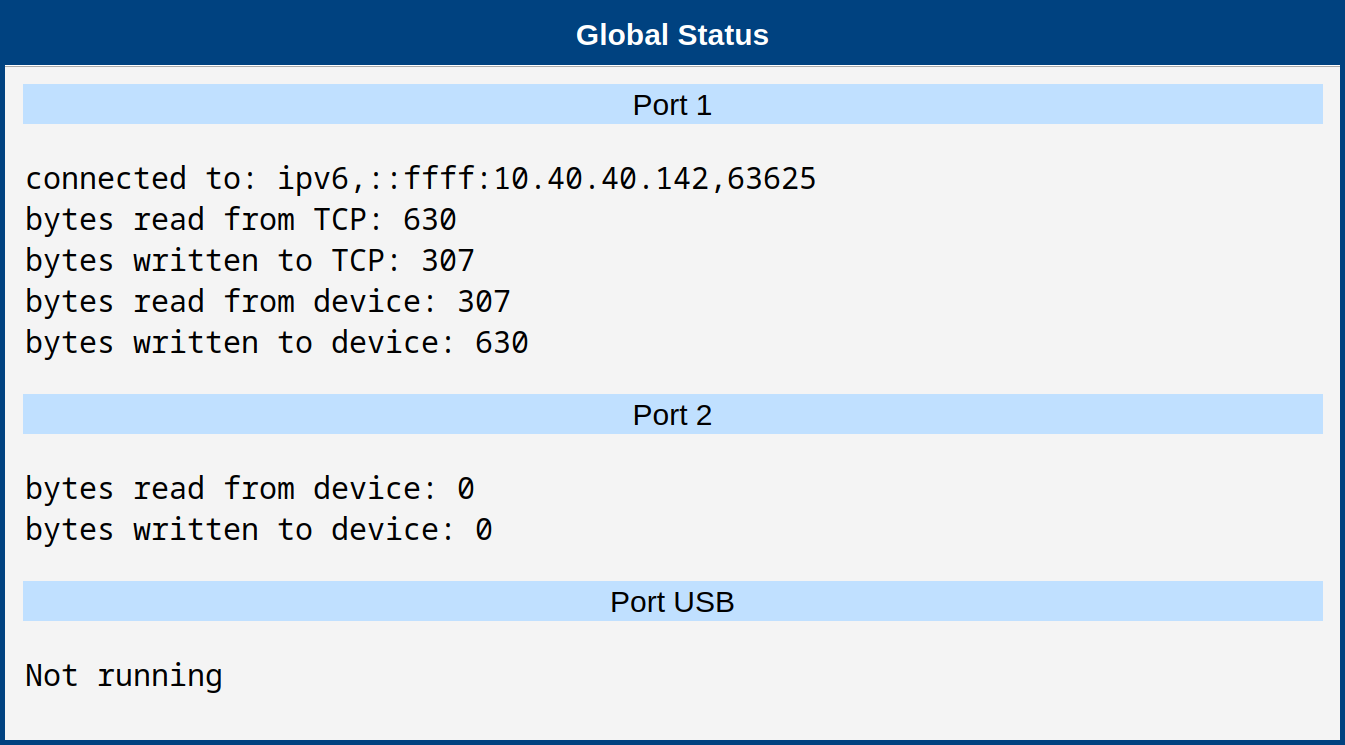
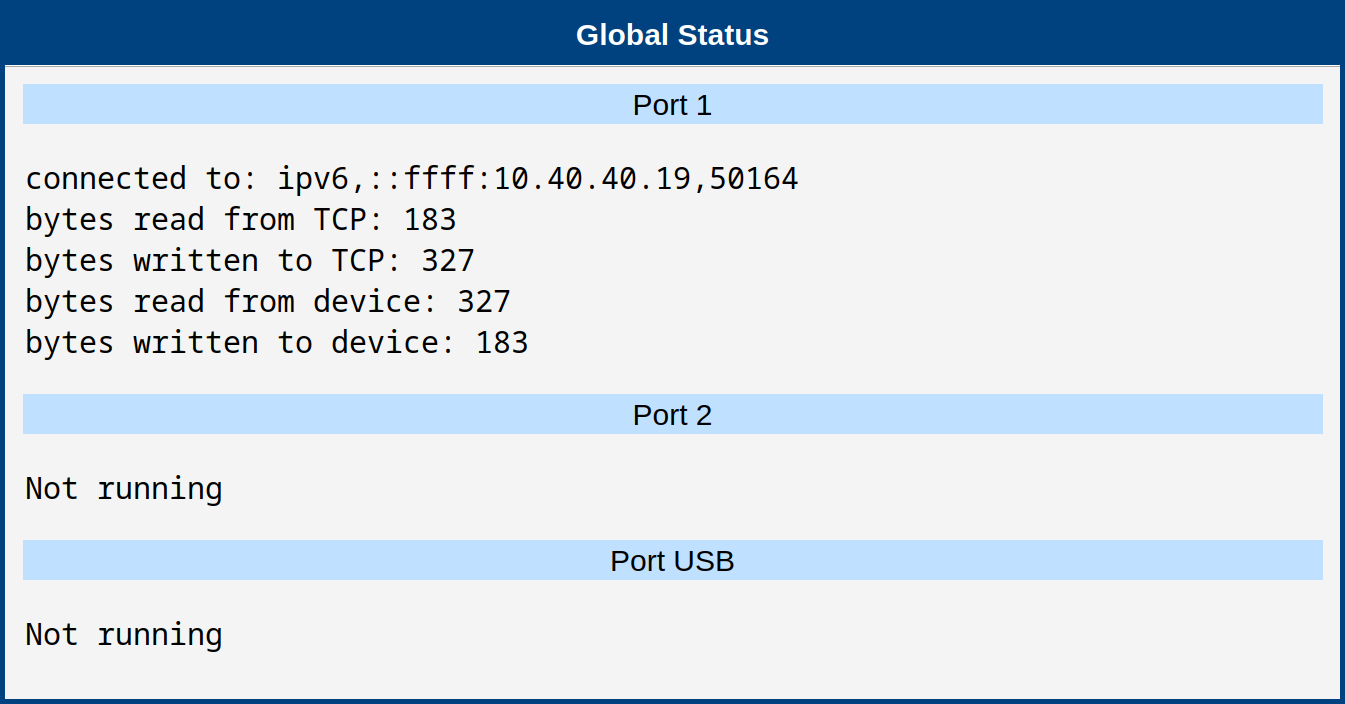
The Status page displays information for every port available in this Router App: whether the port is enabled, whether a client is connected, and connection statistics.
Examples
Example 1: Windows with HW VSP3
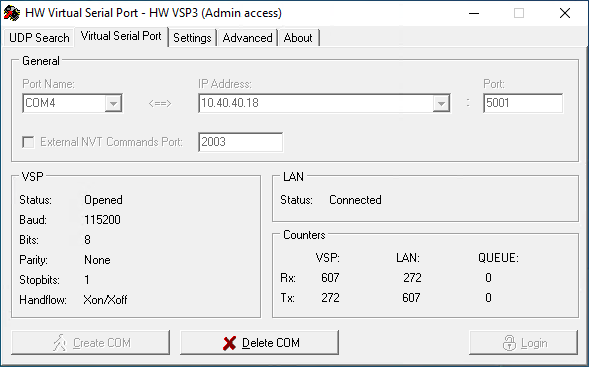
HW VSP3 from HW Group is a free GUI client for Windows. To configure the client:
- Switch to the Virtual Serial Port tab.
- Log in using the Login button (default password: admin).
- Set Port Name, Address, and Port.
- Click Create Port.
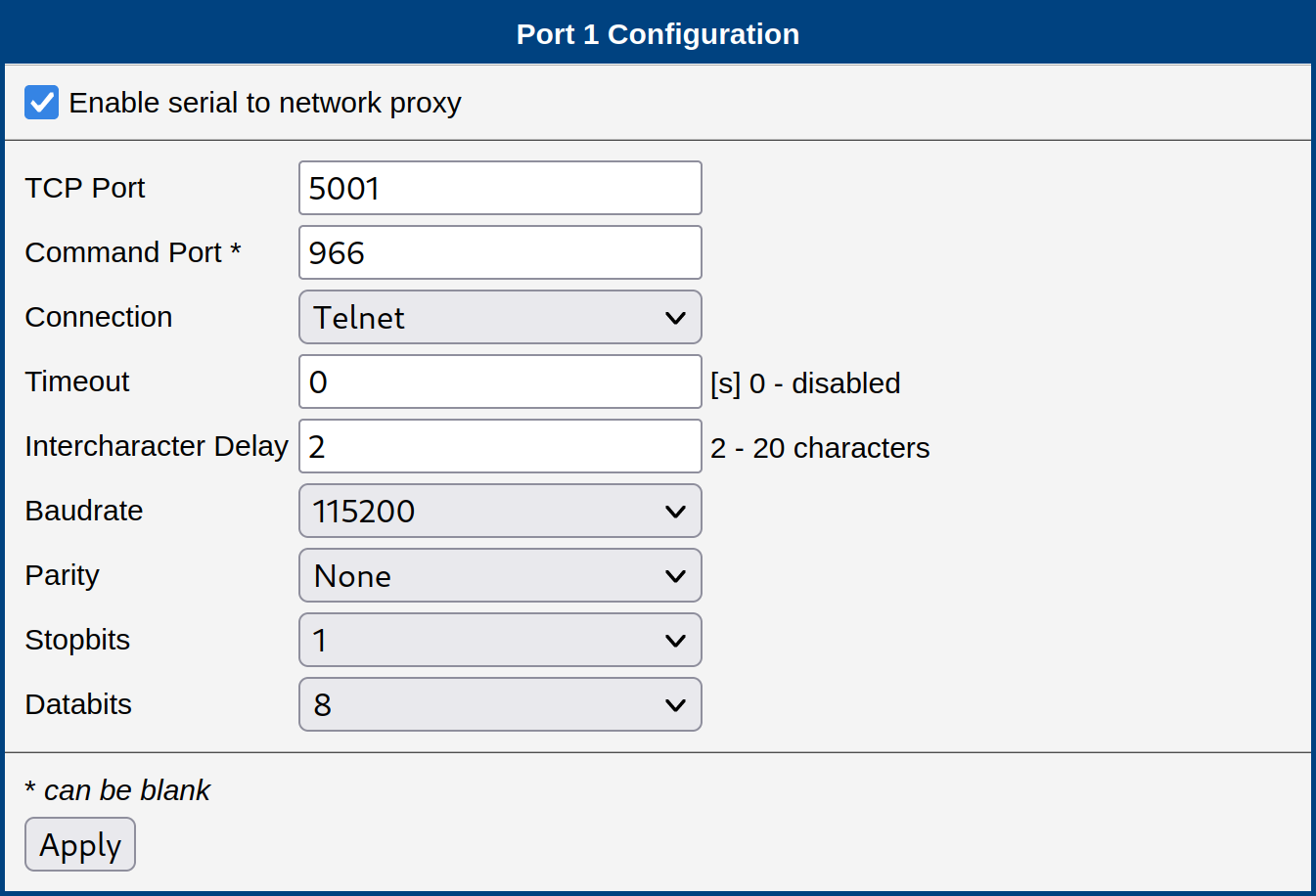
Router App settings:
Virtual port settings:
Status in the Router App after connection:
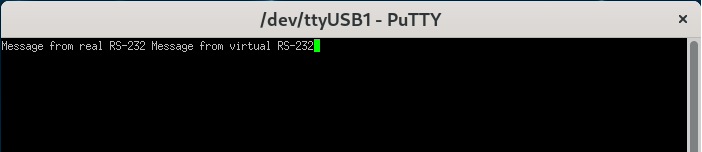
The following screenshots show a functional communication session. The first terminal is connected to the real RS-232 serial bus leading to the router:
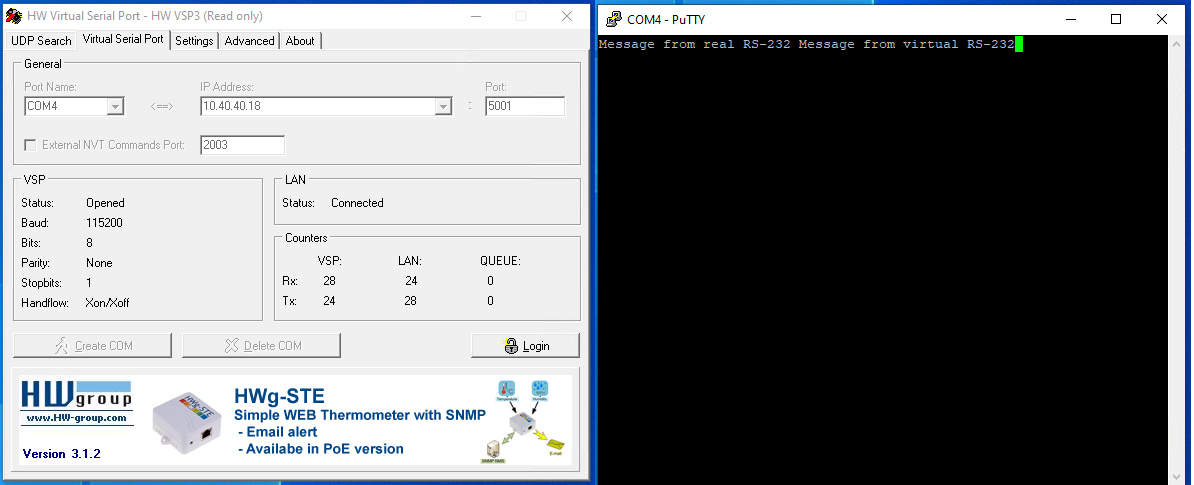
The second terminal is connected to the virtual serial port created over the TCP connection to the router. Both terminals display the test data sent (local echo enabled) and received:
Example 2: Windows with Serial to Ethernet Connector
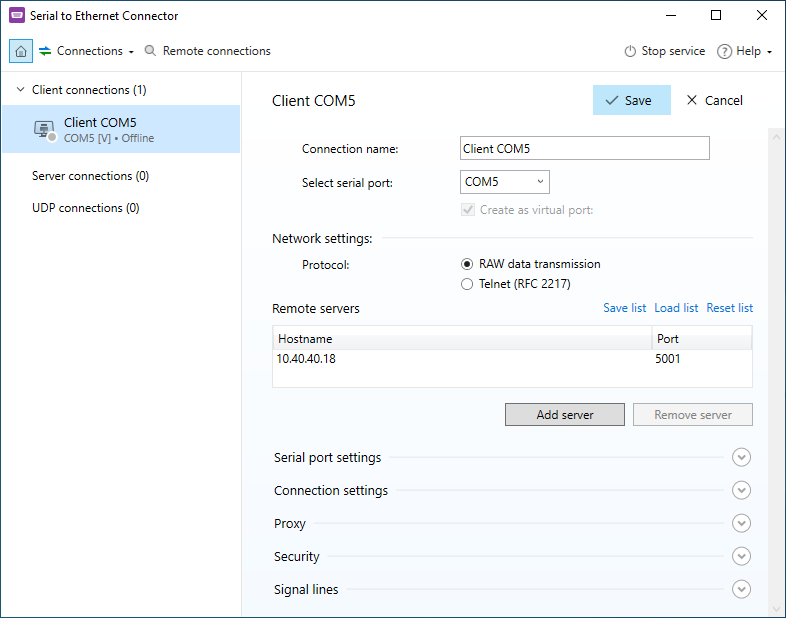
This example uses Serial to Ethernet Connector from Electronic Team. The Router App settings are the same as in Example 1.
Virtual port settings in the GUI:
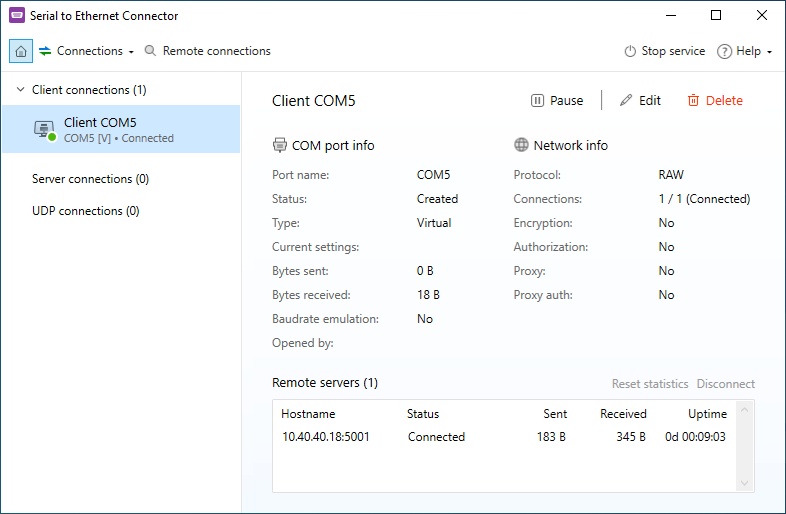
State of the running virtual port and connection:
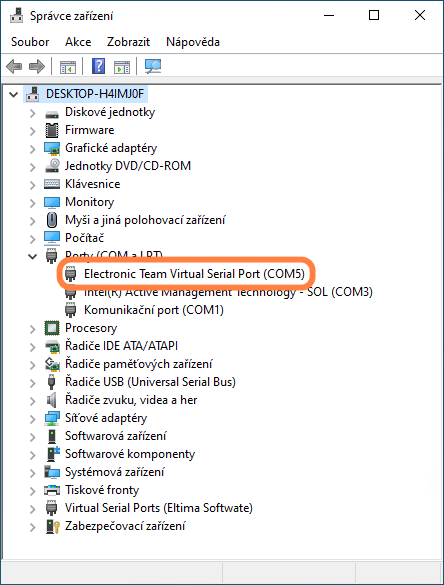
The created virtual port also appears in Device Manager:
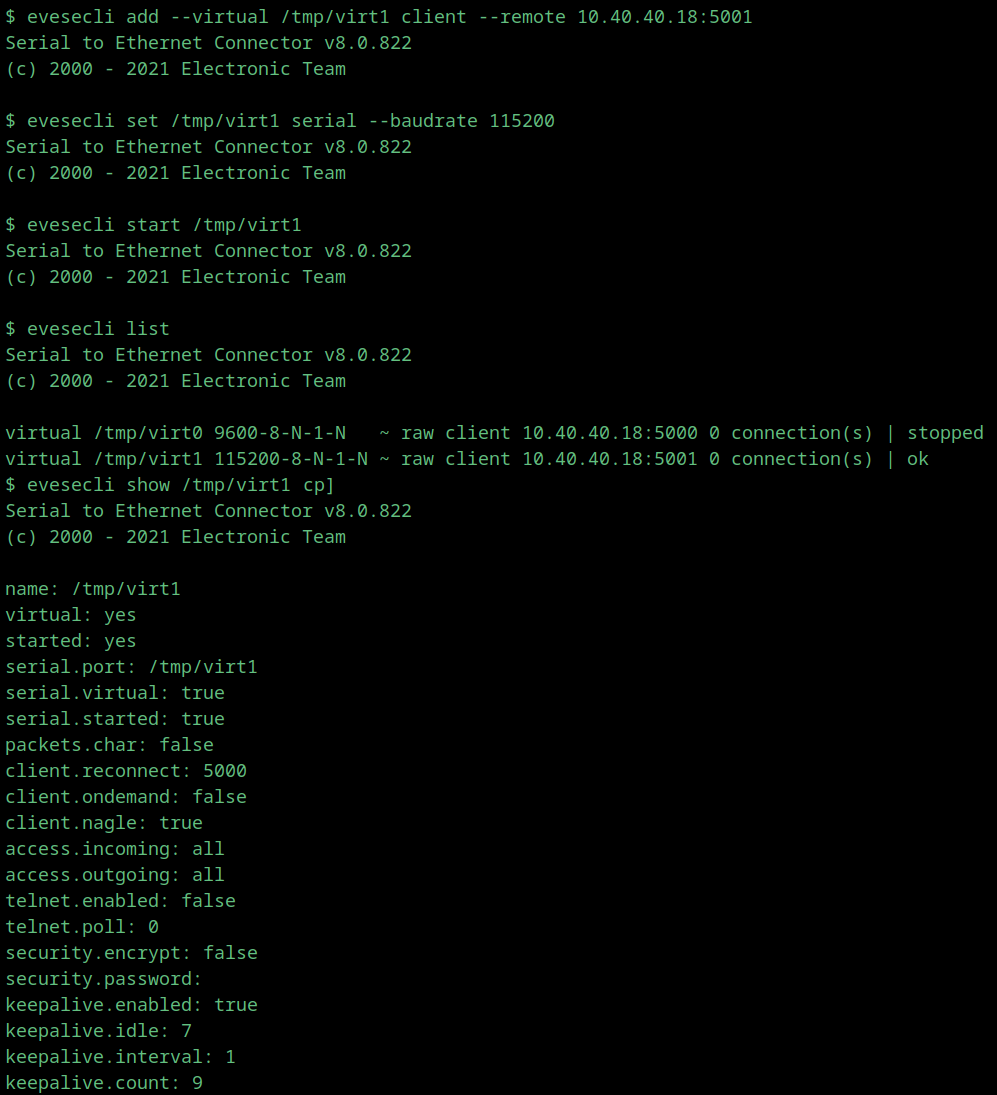
Example 3: Linux with Serial to Ethernet Connector
This example uses Serial to Ethernet Connector from Electronic Team, Linux command-line variant. The Router App settings are the same as in Example 1.