
Event Notificator
 Installation files
 Warning
Important Notice Regarding Firmware Version 6.6.0 and above
- Feature Integration: As of router firmware version 6.6.0, the features of this Router App are included in the firmware as standard. Access them via Configuration → Events.
- Recommendation: On routers running version 6.6.0 or newer, use the native firmware feature and uninstall this Router App to prevent potential conflicts.
- Migration Advisory: When transitioning from this Router App to the integrated firmware feature, review the new settings carefully. Default values and available options may differ, and failing to adjust them could cause unexpected behavior.
Tips
The Router App requires firmware 6.4.1 or higher.
The Event Notificator Router App sends notifications about selected events by email, SMS, or SNMP.
Web Interface
After installation, access the Router App's web interface by clicking the Router App name on the Router Apps page of the router's web interface. The left pane contains a menu with two sections: Configuration and Administration. The Administration section contains the Test Event item and the Return item, which switches back to the router's web configuration pages.

Configuration
Events
In the Events section, you can enable the Router App and select which events send notifications to which mail groups or by SMS. The events are self-explanatory.
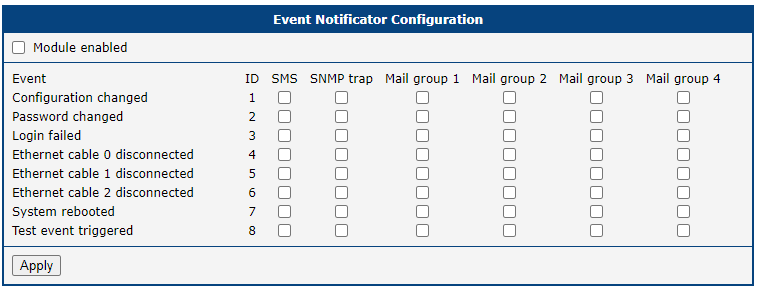
SMS
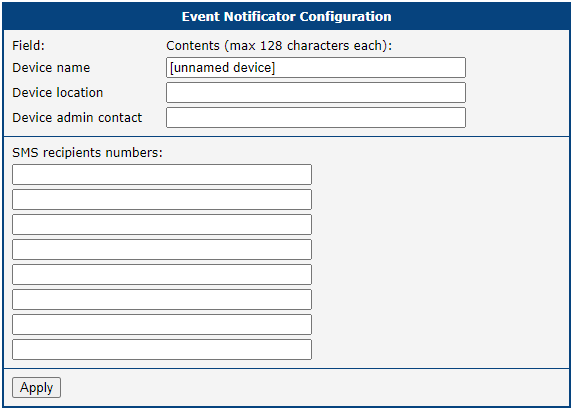
In the SMS section, you can enter device information to better identify the origin of an event, and add up to eight telephone numbers to which notifications are sent. Enter telephone numbers without spaces. One advantage of SMS notifications is that they can be sent even when an Ethernet cable is disconnected. To send SMS notifications, select the Module enabled option in the Events section.
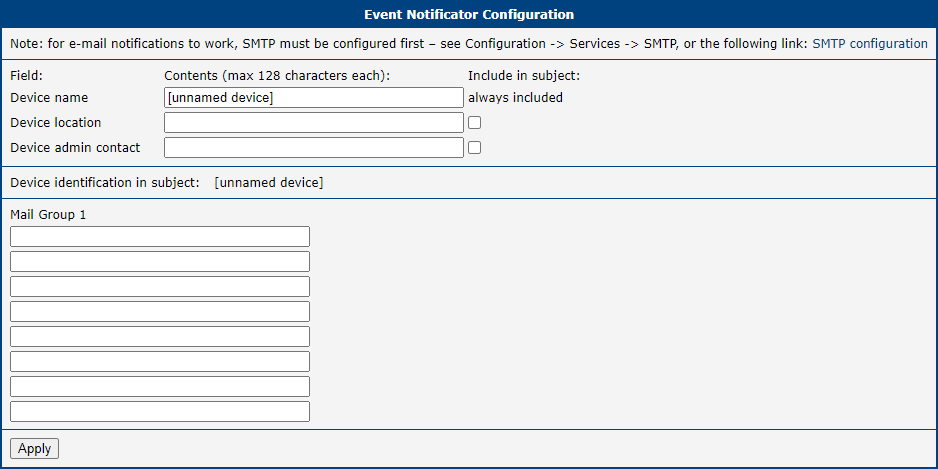
In the E-mail section, you can enter device information to better identify the origin of an event, and create up to four mail groups to which notifications are sent. The screenshot below shows a shortened view with only one mail group as an example. The SMTP server for sending emails must be properly configured in Configuration → Services → SMTP for email notifications to work.
SNMP
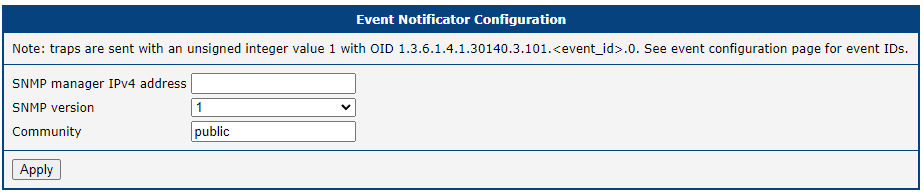
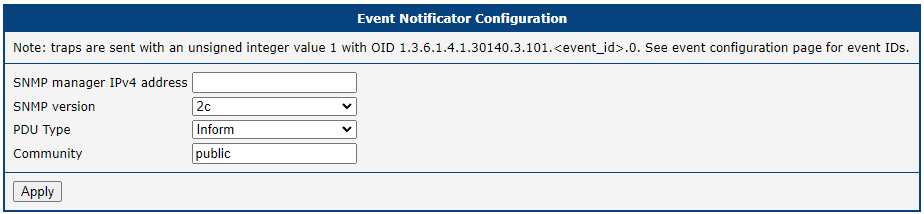
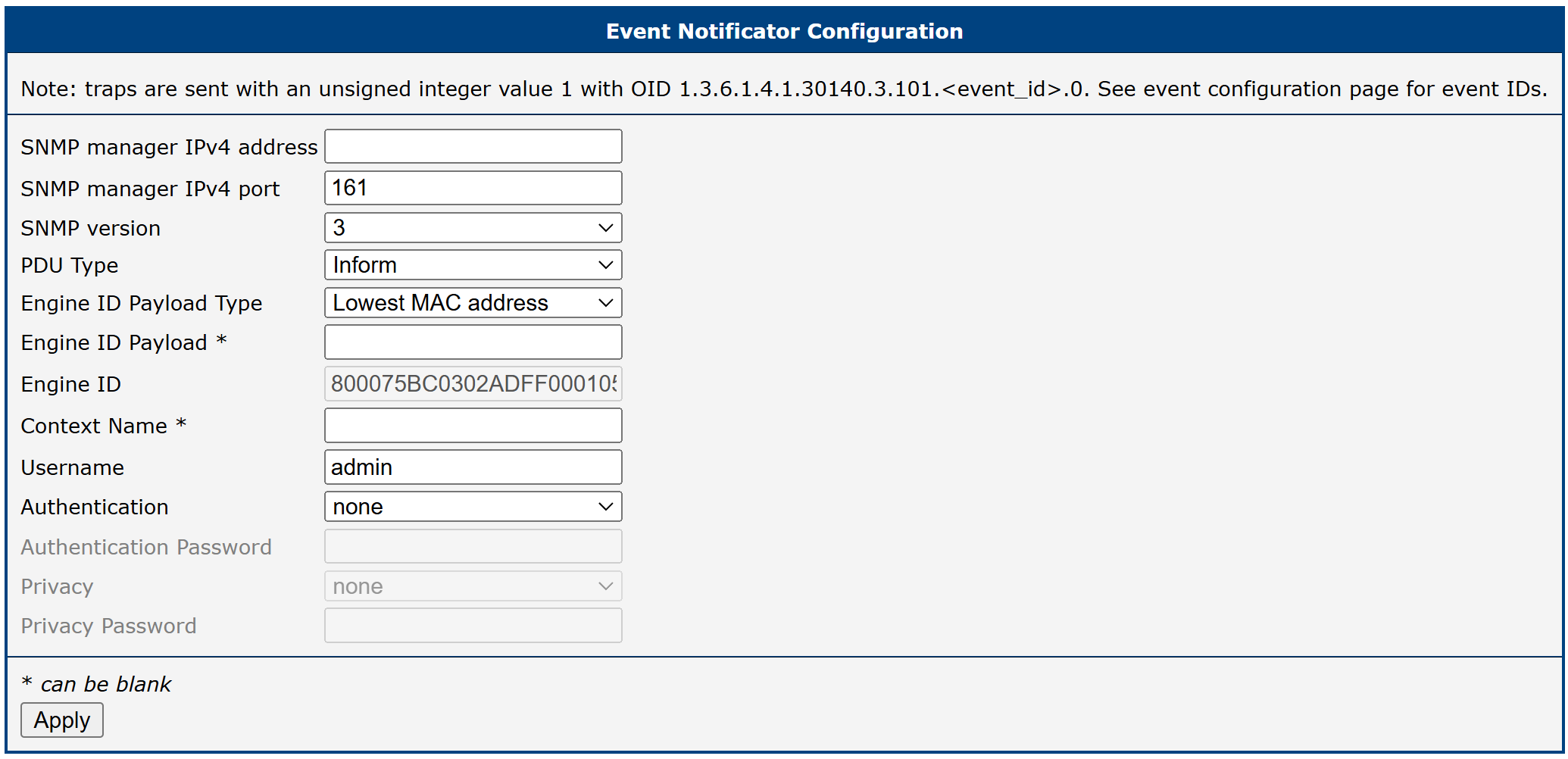
The SNMP configuration varies depending on the selected SNMP version.
SNMP Version 1
| Item | Description |
|---|---|
| SNMP manager IPv4 address | IP address of the SNMP manager. |
| Community | String used as a security measure for controlling access to network management information. |
SNMP version 1 configuration items
SNMP Version 2c
| Item | Description |
|---|---|
| SNMP manager IPv4 address | IP address of the SNMP manager. |
| PDU Type | Select PDU type: • Inform: Confirmed delivery. • Trap: Unconfirmed notification. |
| Community | String used as a security measure for controlling access to network management information. |
SNMP version 2c configuration items
SNMP Version 3
| Item | Description |
|---|---|
| SNMP manager IPv4 address | IP address of the SNMP manager. |
| SNMP manager IPv4 port | Communication port for monitoring and managing network devices over IPv4. |
| PDU Type | Select PDU type: • Inform: Confirmed delivery. • Trap: Unconfirmed notification. |
| Engine ID Payload Type | Select Engine ID Payload Type: • Lowest MAC Address (default) • ASCII Text • Hexadecimal Value |
| Engine ID Payload | When ASCII Text or Hexadecimal Value is selected as the Payload Type, enter the desired value for further identification of the engine. |
| Engine ID | Unique identifier for the SNMP entity, generated from the values selected above. Used in the SNMPv3 message header for authentication and privacy purposes to distinguish between different SNMP entities within the same network. |
| Context Name (optional) | String used to differentiate between logical subsets of managed objects within an SNMP entity. Contexts help organize and isolate management data, improving scalability, security, and efficiency. |
| Username | Username used for authentication. |
| Authentication | Select authentication method: • none • SHA-512 • SHA-384 • SHA-256 • SHA-224 • SHA • MD5 |
| Authentication Password | Password for the selected authentication method. |
| Privacy | Select privacy mode: none, DES, or AES. |
| Privacy Password | Password for the selected privacy mode (required when DES or AES is selected). |
SNMP version 3 configuration items
Administration
Test Event
Click the button on this page to trigger a test event. After triggering, notifications should be sent through all channels configured on the previous pages. Use this to verify your configuration. First, enable the notification method on the Events page and configure the details on the SMS, E-mail, or SNMP page.

Troubleshooting
If any issues occur, check Status → System Log for relevant messages.
